Interactive Brokers trading journal
Link your Interactive Brokers account and your stock, futures and forex trades are journaled automatically. Get one clear view of your performance across everything you trade at IBKR.
Connects in about 2 minutes · Read-only access · Logins encrypted · No card needed to start
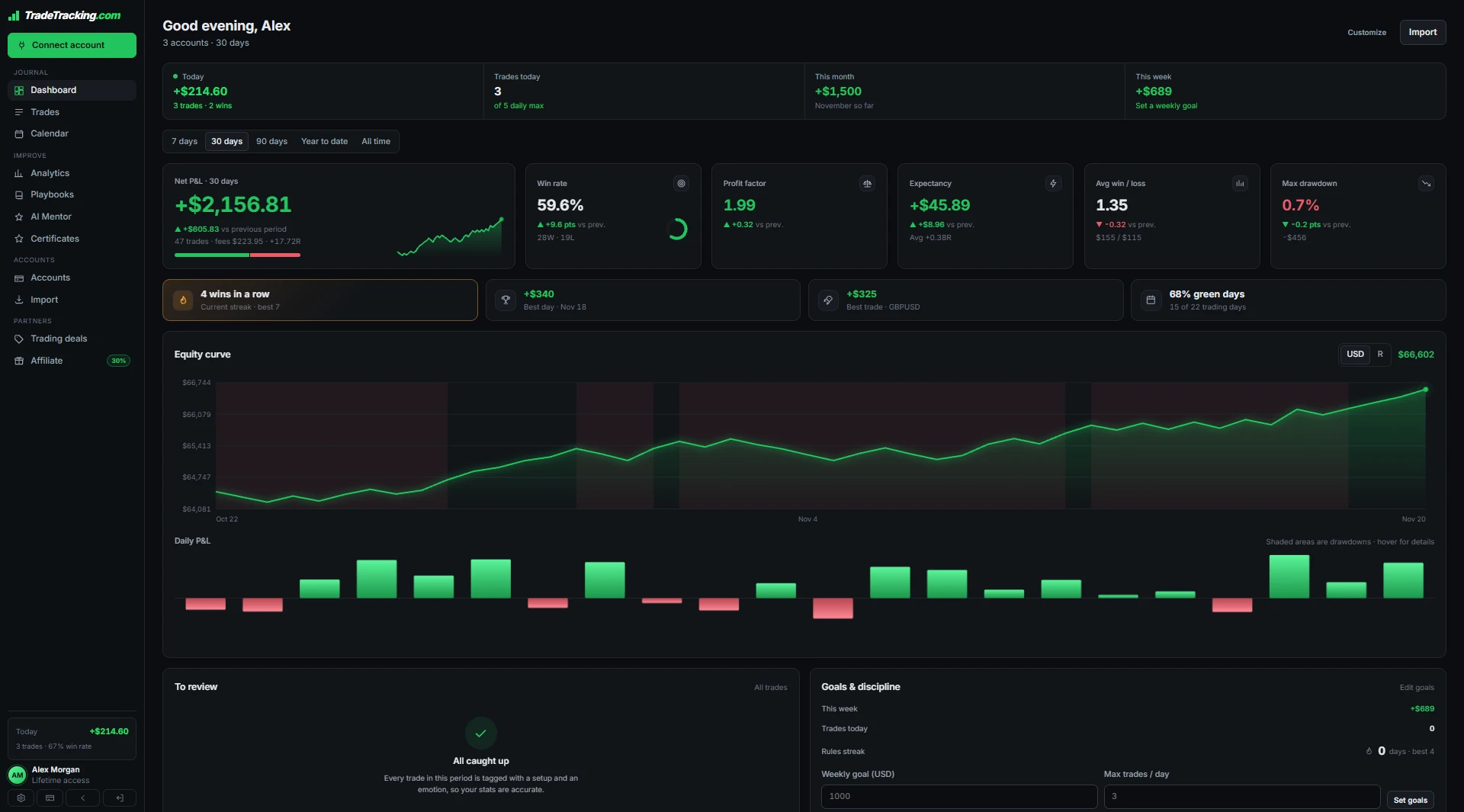
Why journal your Interactive Brokers trades
IBKR's statements are thorough, but they're built for accounting, not for improving your trading. Finding your best setup or your worst habit in them takes hours.
TradeTracking.com syncs your Interactive Brokers trades and shows your win rate, expectancy and R-multiples by ticker, setup and holding time, with an AI review of what to change.
Works with stocks, ETFs, futures and forex traded on Interactive Brokers.
How to connect Interactive Brokers
No exports, no spreadsheets.
Choose your platform
Open Connect in the app and choose Interactive Brokers.
Link your account
Sign in when prompted. Logins are encrypted before they are stored.
Trades sync on their own
Your trades import and keep syncing automatically.
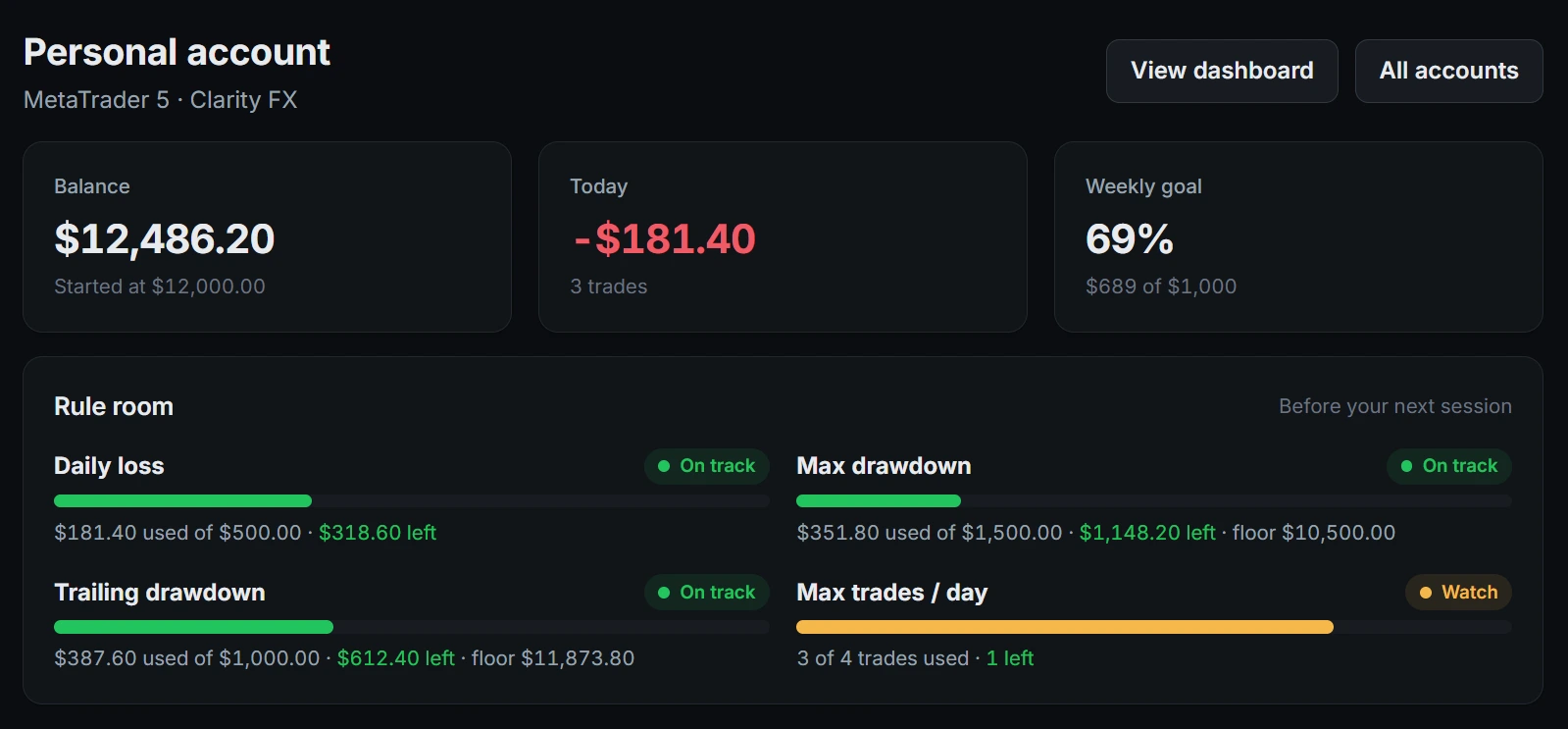
Know your risk on every Interactive Brokers account
Set your own limits on each account and TradeTracking.com watches them for you, warning you as you get close.
- ✓Daily loss, max drawdown and trailing drawdown, in dollars left
- ✓Progress toward your weekly profit goal
- ✓Alerts before you break a rule, not after

Get told what to fix in your Interactive Brokers trading
Your journal reads your own numbers back to you: which setup to lean on, which session to skip, and what trading on tilt is costing you.
- ✓Strongest and weakest setups, sessions and weekdays
- ✓What following your rules is worth in dollars
- ✓How your emotions show up in your results
Everything in your Interactive Brokers trading journal
Automatic trade sync
New trades land in your journal on their own. No copying fills by hand.
Risk limits
Daily loss, max drawdown and trailing drawdown, in dollars left before each session.
AI mentor
A plain-English review of your best setups, worst sessions and costly habits.
TradeTracking Score
One 0–100 score for profitability, drawdown control, consistency and discipline.
Playbooks & rules
Name your setups, write your rules and tick them off on every trade.
P&L calendar
Every day in green or red, with a pre-market plan and end-of-day review.
Deep analytics
Win rate, profit factor, expectancy, R-multiples and streaks by setup, session and weekday.
Share your record
A public track record page, or a private read-only link for your mentor.
Start free. Pay once for auto-sync.
Auto-sync is part of lifetime access. Clarity FX accounts sync free.
For trying the journal on one account.
- ✓1 trading account
- ✓Manual entry and CSV import
- ✓Stats for your last 30 days
- ✓Risk limits and AI mentor review
Pay once and keep every feature for life. No subscription, no renewals.
- ✓Unlimited trading accounts
- ✓Automatic trade sync
- ✓Full trade history and analytics
- ✓Every future feature and update included
Prices in USD. Pay with Bitcoin, Ethereum, USDT, USDC and more through our crypto checkout.
Interactive Brokers trading journal FAQ
Which IBKR trades are supported?
Stocks, ETFs, futures and forex trades from your Interactive Brokers account are synced into your journal.
Can I combine IBKR with other accounts?
Yes. Add accounts from other platforms and view your results separately, in account groups or all together.
Is IBKR auto-sync free?
The Free plan covers one account with manual entry and CSV import. Automatic sync comes with lifetime access, a one-time $199 crypto payment.
Can I share my results with a mentor?
Yes. Publish a public track record page or give a mentor a private read-only link to your journal.
Can it trade on my IBKR account?
No. TradeTracking.com only reads your trade history.
Related: Stock trading journal, Average price calculator, Profit/loss calculator, Day trading vs swing trading.
Start journaling your Interactive Brokers trades
Free on one account. No card needed.
