Trading journal integrations
Connect your trading platform once and TradeTracking.com journals every trade for you. Auto-sync works with TradeLocker, Tradovate, TopstepX, Interactive Brokers and Bybit. MetaTrader 4 and 5 import by CSV for now, with auto-sync coming soon, and CSV import covers everything else.
Connects in about 2 minutes · Read-only access · Logins encrypted · No card needed to start
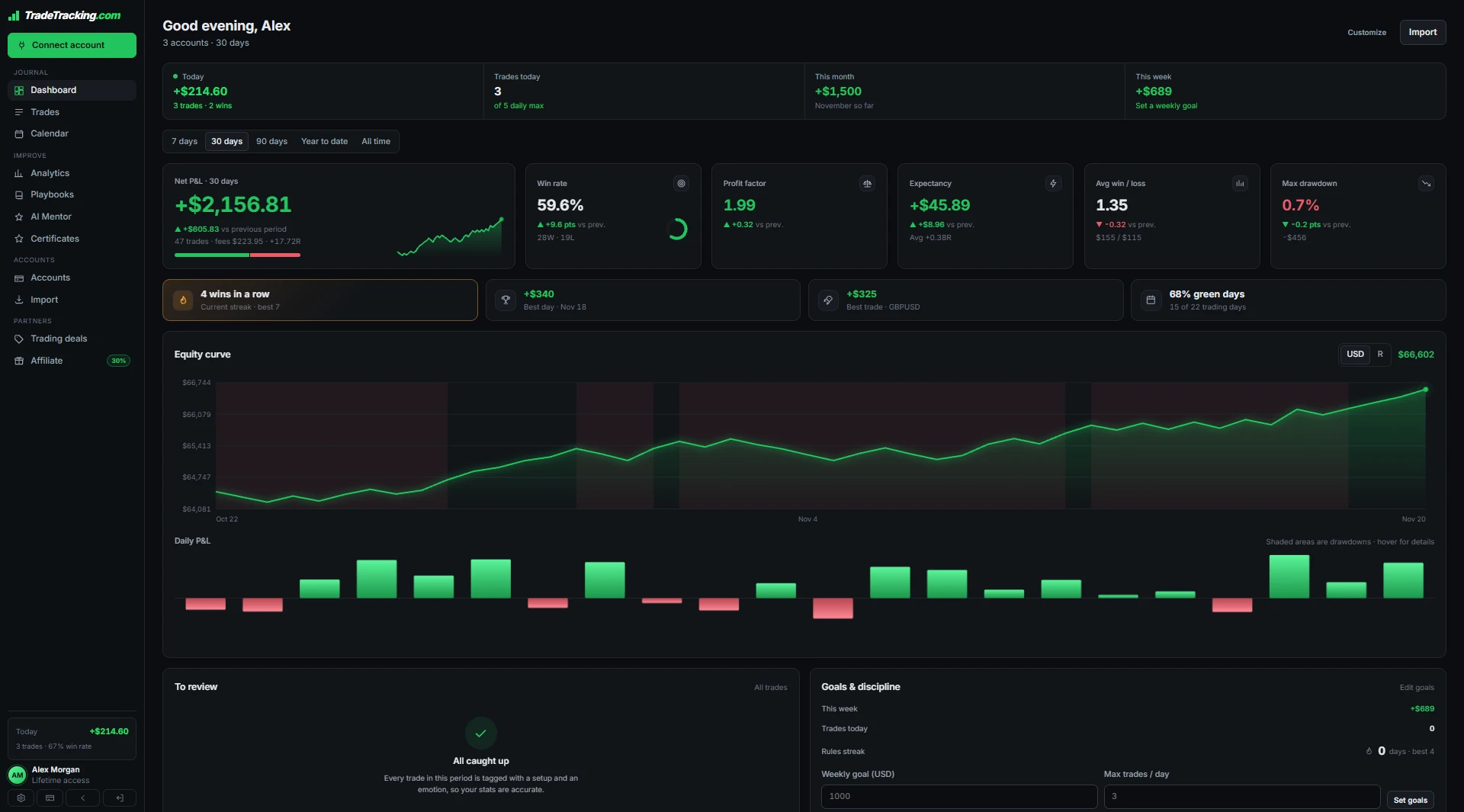
Every supported platform at a glance
What each integration covers and how it connects.
Connect any platform in 3 steps
No exports, no spreadsheets.
Choose your platform
Open Connect in the app and pick your platform.
Link your account
MetaTrader uses a read-only investor password, and every login is encrypted before it is stored.
Trades sync on their own
Your history imports and new trades keep syncing on their own.
Trading journals for every market
Forex trading journal
Track every forex trade in pips, dollars and R without a spreadsheet. Open →
Futures trading journal
Journal your ES, NQ, CL, GC and micro futures trades automatically. Open →
Crypto trading journal
Stop guessing which coins and setups actually pay. Open →
Stock trading journal
Journal your stock and ETF trades without the spreadsheet. Open →
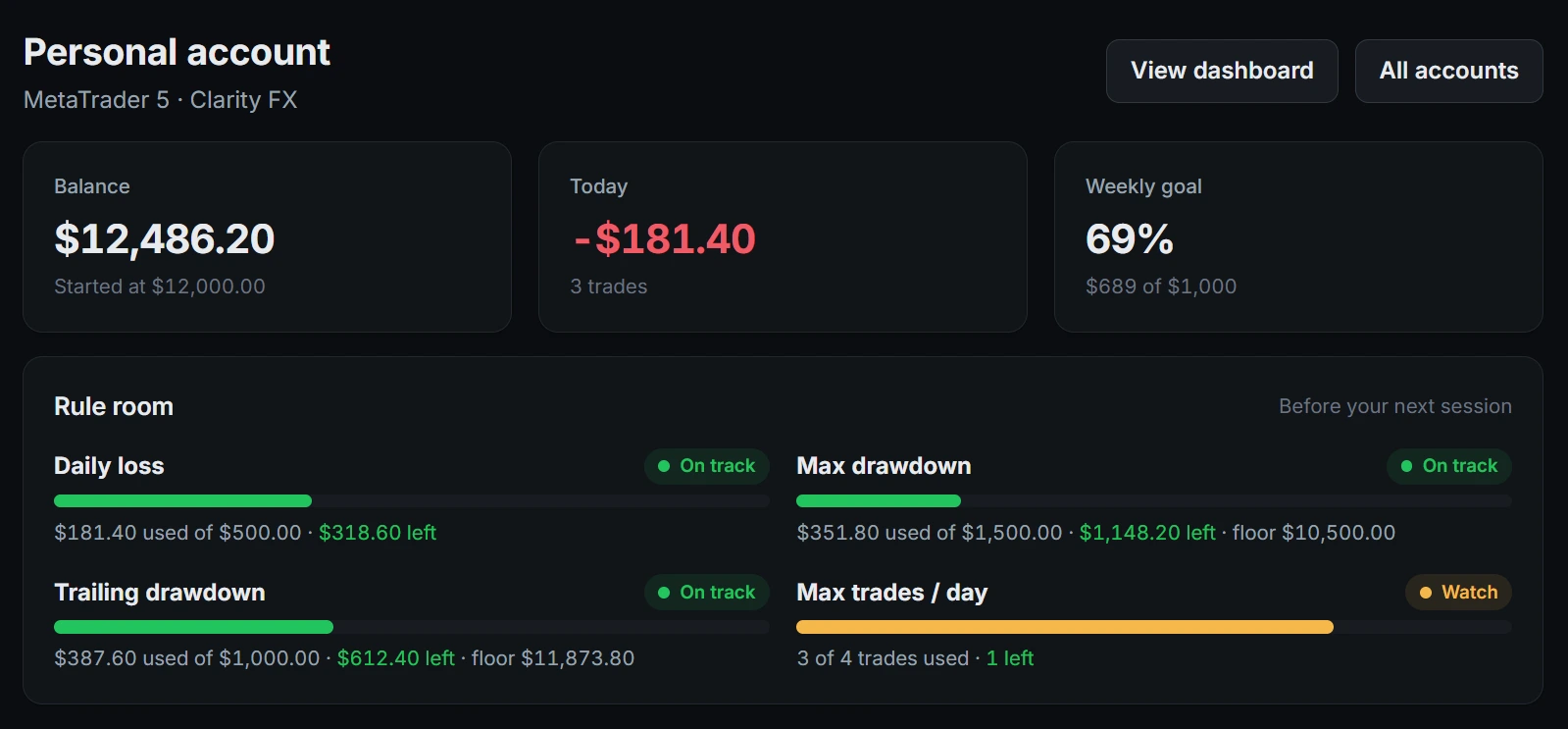
Know your risk on every connected account
Set your own limits on each account and TradeTracking.com watches them for you, warning you as you get close.
- ✓Daily loss, max drawdown and trailing drawdown, in dollars left
- ✓Progress toward your weekly profit goal
- ✓Alerts before you break a rule, not after

Get told what to fix in your own trading
Your journal reads your own numbers back to you: which setup to lean on, which session to skip, and what trading on tilt is costing you.
- ✓Strongest and weakest setups, sessions and weekdays
- ✓What following your rules is worth in dollars
- ✓How your emotions show up in your results
Start free. Pay once for auto-sync.
Auto-sync is part of lifetime access. Clarity FX accounts sync free.
For trying the journal on one account.
- ✓1 trading account
- ✓Manual entry and CSV import
- ✓Stats for your last 30 days
- ✓Risk limits and AI mentor review
Pay once and keep every feature for life. No subscription, no renewals.
- ✓Unlimited trading accounts
- ✓Automatic trade sync
- ✓Full trade history and analytics
- ✓Every future feature and update included
Prices in USD. Pay with Bitcoin, Ethereum, USDT, USDC and more through our crypto checkout.
Integrations FAQ
Which platforms sync automatically?
TradeLocker, Tradovate, TopstepX (ProjectX), Interactive Brokers and Bybit. MetaTrader 4 and 5 auto-sync is coming soon; until then they import by CSV.
Can I import from other platforms?
Yes. Import CSV files from MetaTrader 4 and 5, cTrader, NinjaTrader, Match Trader and Volumetrica, and bring your history from TradeZella or TraderSync. CSV import is part of lifetime access.
Is auto-sync free?
Auto-sync is part of lifetime access, a one-time $199 crypto payment. Clarity FX accounts sync free on the free plan.
Is it safe to connect my account?
Platform logins are encrypted before they are stored, and for MetaTrader we only ask for your read-only investor password, which cannot place trades.
How long does it take to connect?
About 2 minutes. Pick your platform in the app, link your account and your history imports.
Related: Switch from another journal, Free trading calculators, Trading guides.
Connect your first account
Free on one account. No card needed.
